Account entry validation
One way of having an additional review for invoices is use the setting Account entry validation. If any field in a posting line is changed by the approver, the invoice is sent back to the invoice administrator. This can be useful when all posting is handled by the Accounts department, because it means that those invoices that retain their original posting do not need to come back to the invoice administrator for an extra validation.
Account entry validation
If you want to get the invoice back if the approver made any changes in the posting lines, you select this setting: Administration → Organization, then scroll down to Workflow settings and flags. Select the checkbox for Account entry validation. When this setting is selected, it means that the invoice administrator will get the invoices where the posting was amended.
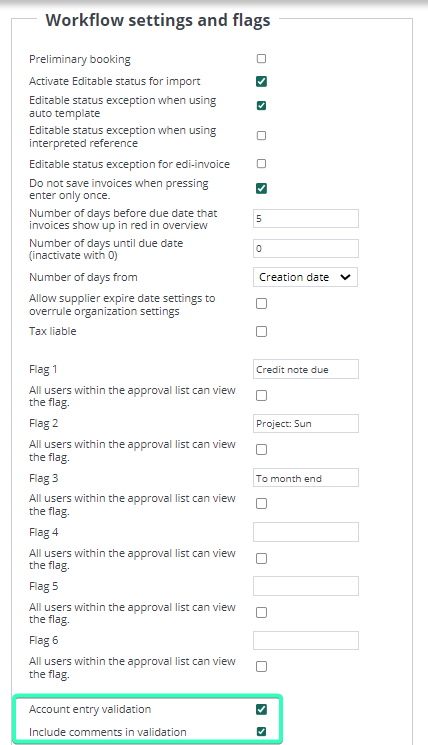
With another setting, the invoice administrator will also get back those invoices where approvers have added a comment. This is recommended if you want to communicate via comments in the system, as the invoice administrator will then always get these invoices returned for validation. This setting is Include comments in validation.
NOTE! Account entry validation must be combined with Include comments in validation to work.
Additional settings that can be combined with account entry validation are:
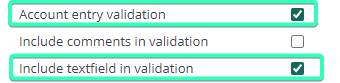
Include textfield in validation:
With this setting, if a user adds something in the free text column on the posting line, the invoice will always go back to the invoice administrator for validation. Select the checkbox for Include textfield in validation.
Include specification in validation:
With this setting, if a user adds something in the specification field on the posting line, the invoice will always go back to the invoice administrator for validation. Select the checkbox for Include specification in validation.
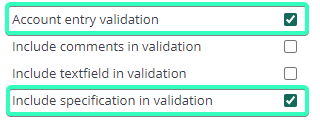
NOTE! Include comments in validation, Include textfield in validation and Include specification in validation must ALWAYS be combined with Account entry validation to work.