Send reminder email to approvers manually
Rillion One automatically sends email reminders to approvers when they have invoices to approve and if they have the unapproved invoices that are close to the due date. How often these are sent out is set under Settings → Job configurations → Reminder jobs.
Manual reminder emails
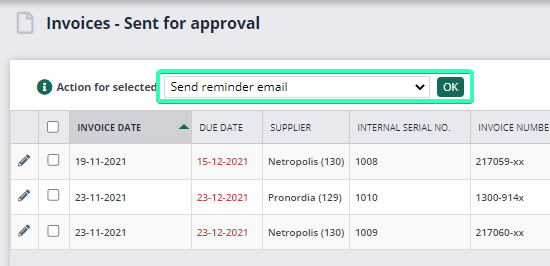
As an invoice administrator, you can also send manual reminder emails to approvers if you wish. Click to open any folder on the invoice overview, e.g. Sent for approval or Close to due date. From there, select the invoices and then select Send reminder email followed by OK.
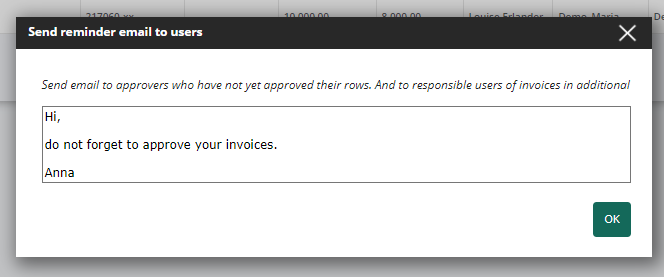
The invoice administrator then also has the option of writing a message to approvers and then sending an email to the approver for each of the selected invoices.