Payment Solution in Rillion One
How does the payment solution work?
Rillion One has a function for creating payment files that can then be uploaded to the customer´s bank. This means that an invoice can be paid before it is fully approved and exported to the ERP system. A payment file does not need to be exported from the ERP system. This document describes functions and how to get started.
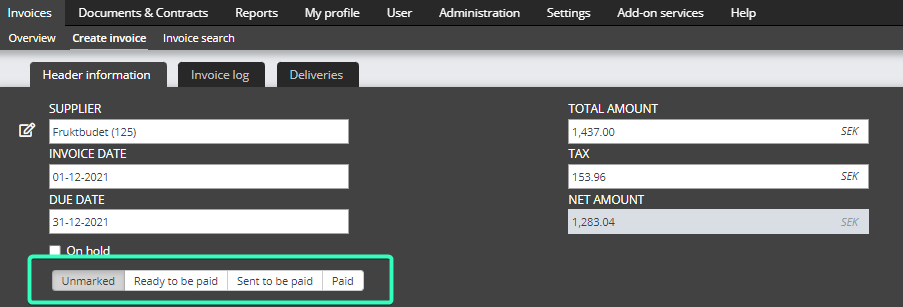
On each invoice the user (for example the Administrator or the end user) decides if the invoice is ready to be paid or not.
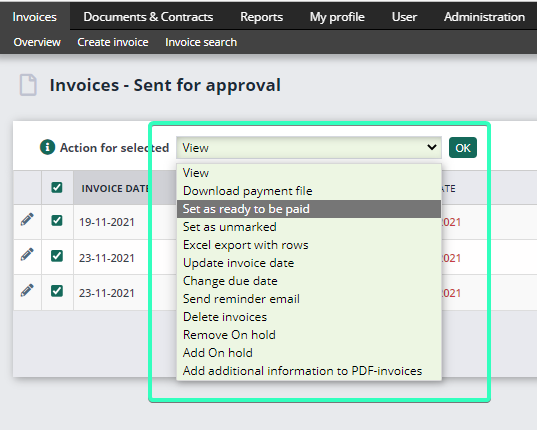
It is also possible to add several invoices in a batch and then decide if they are ready to be paid. This can be done in any status in Rillion One (Editable, Sent for approval or Exported).
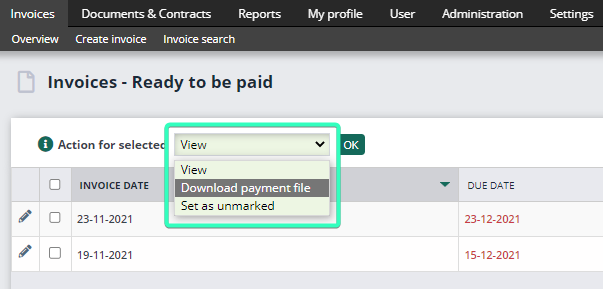
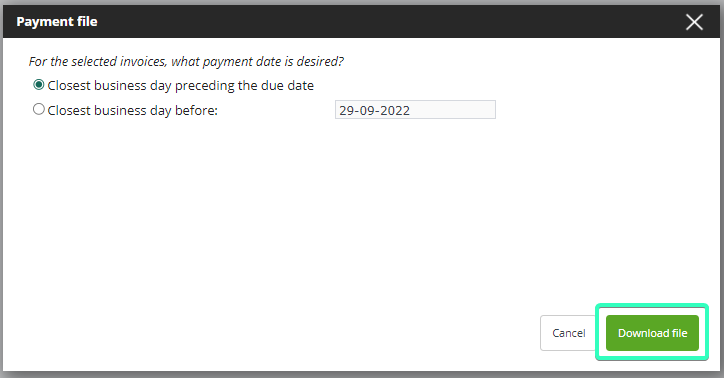
The file is downloaded and placed in ”Downloads” (XML format). The user then uploads this into their bank.
The payment notification file that the bank creates is manually imported into Rillion One by clicking on the button in the bottom right-hand corner on the overview.

After the payment notification file is uploaded the payment status of the invoices will be ”Paid”.
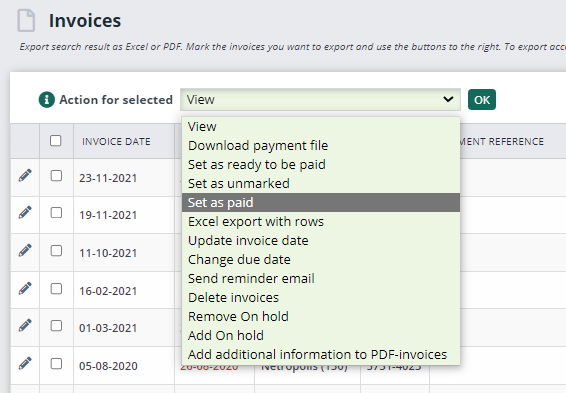
To set the payment status manually in Rillion One
You can also set the ”Paid” status manually on the invoices if you do not want to import the payment notification file.
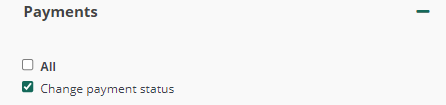
This permission can be added to the end users if they should be able to set the payment status manually on invoices.
Go to Users > User groups > Choose a user group > Payments. Tick the ”Change payment status” and click on Save.
How do I get started?
In the tab Add-on services you can choose to activate Payments. Only Invoice Administrators have access to this tab. Choose your Payment System and Bank code and fill in the rest of the fields on this page.
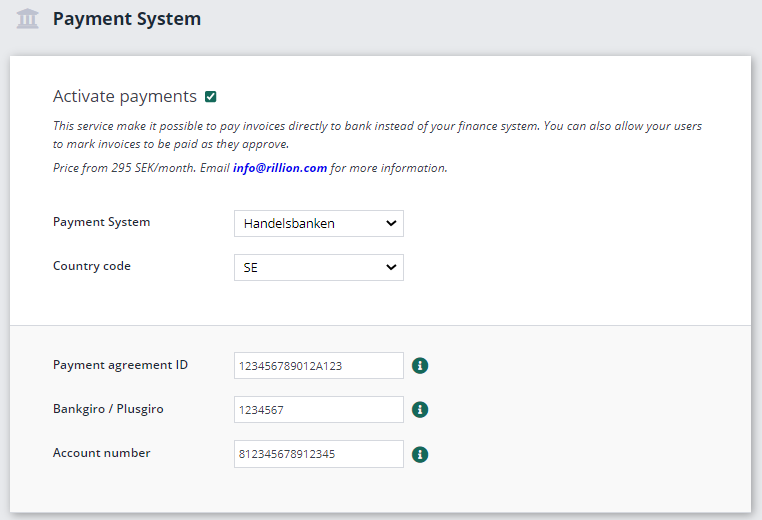
Country code: Fill in the country where your bank is located.
Payment agreement ID: Contact your bank to order the ISO-20022 service. The format for this ID is 12 digits followed by 1 capital letter and then 3 more digits.
Bankgiro / Plusgiro: To be filled in if you have payments linked to your account. NOTE: Country code must be SE to be able to use Bankgiro / Plusgiro.
Payment account: The account from which the payment is to be deducted. The person who uploads the payment file must have access to the account in the internet bank.
Hold the mouse cursor over the blue info button after each field for more information.