Flags in Rillion One
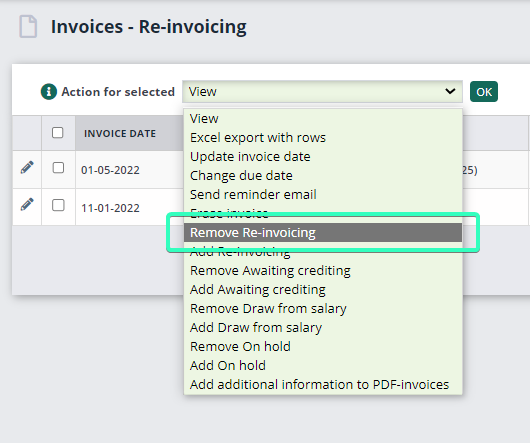
In Rillion One, you can flag invoices to help you to keep track of certain types of invoices. Below is a description for one preselected (Being investigated) as well as six optional flags.
On hold
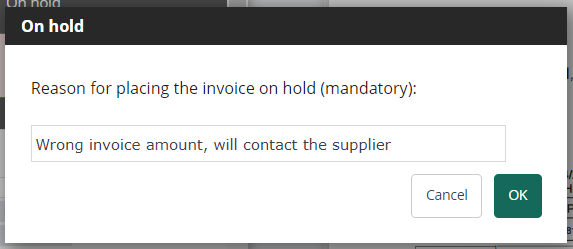
This flag is used if you need to investigate an invoice, for example if the amount is wrong on the invoice and you need to contact the supplier. When you select a flag, you can also enter a comment and the invoice is then moved out of the approval flow on the left-hand side in Rillion’s overview and placed in a separate folder called On hold on the right-hand side in the overview. The invoice stays there until the flag is removed (the checkbox is deselected). The invoice then moves back into the approval flow again.
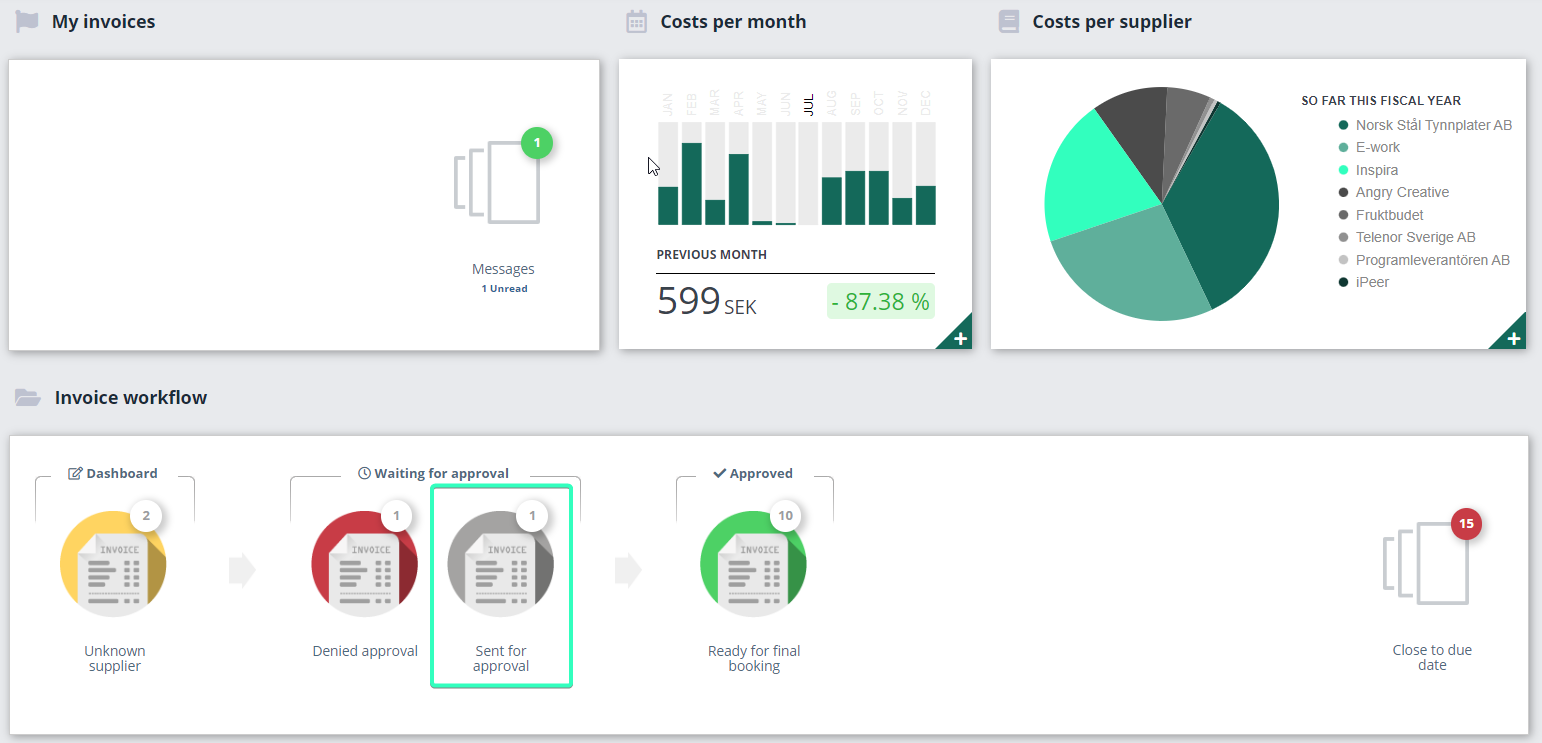
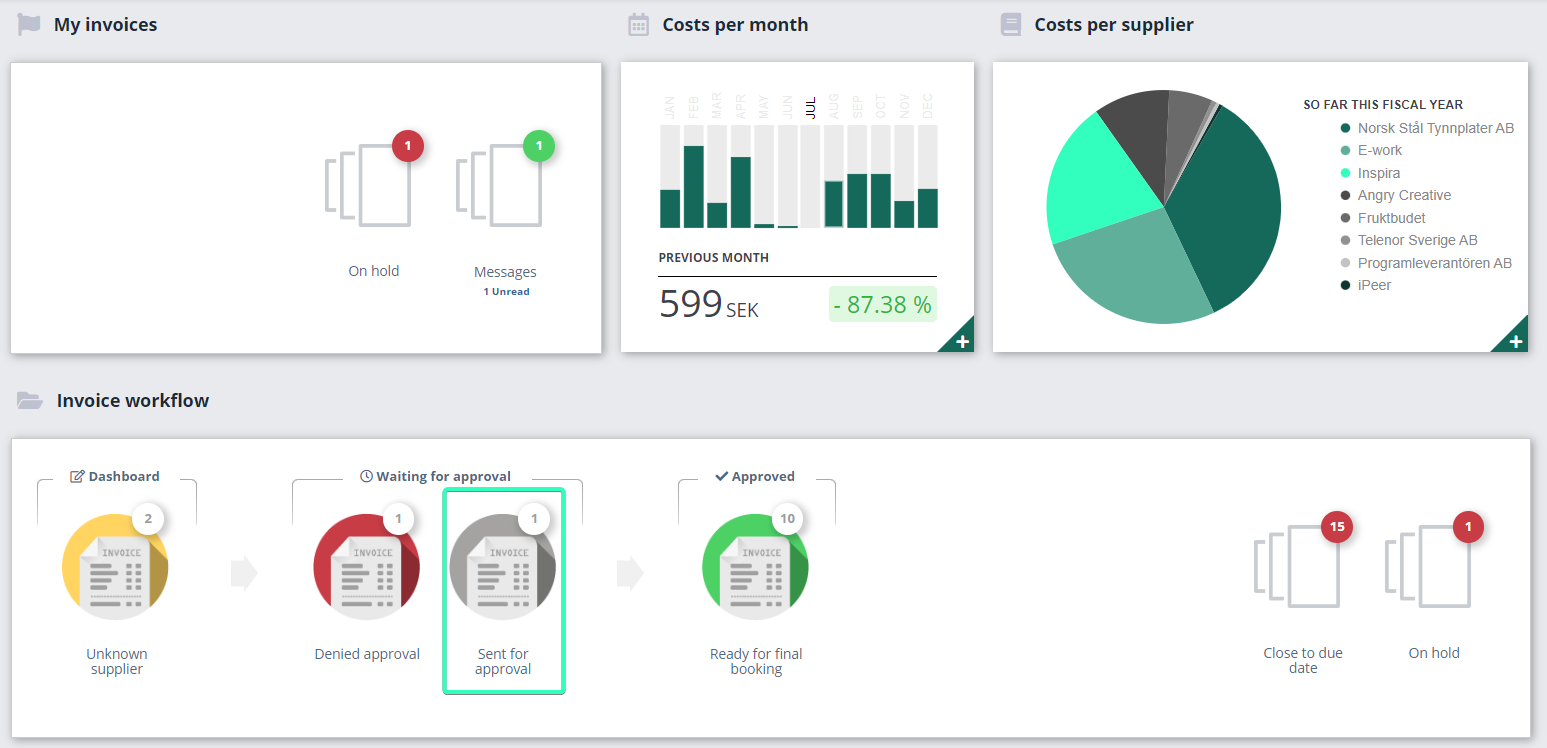
Before the invoice is flagged as on hold, it can be found in the Sent for approval folder. In the image below, there is one invoice in this folder.
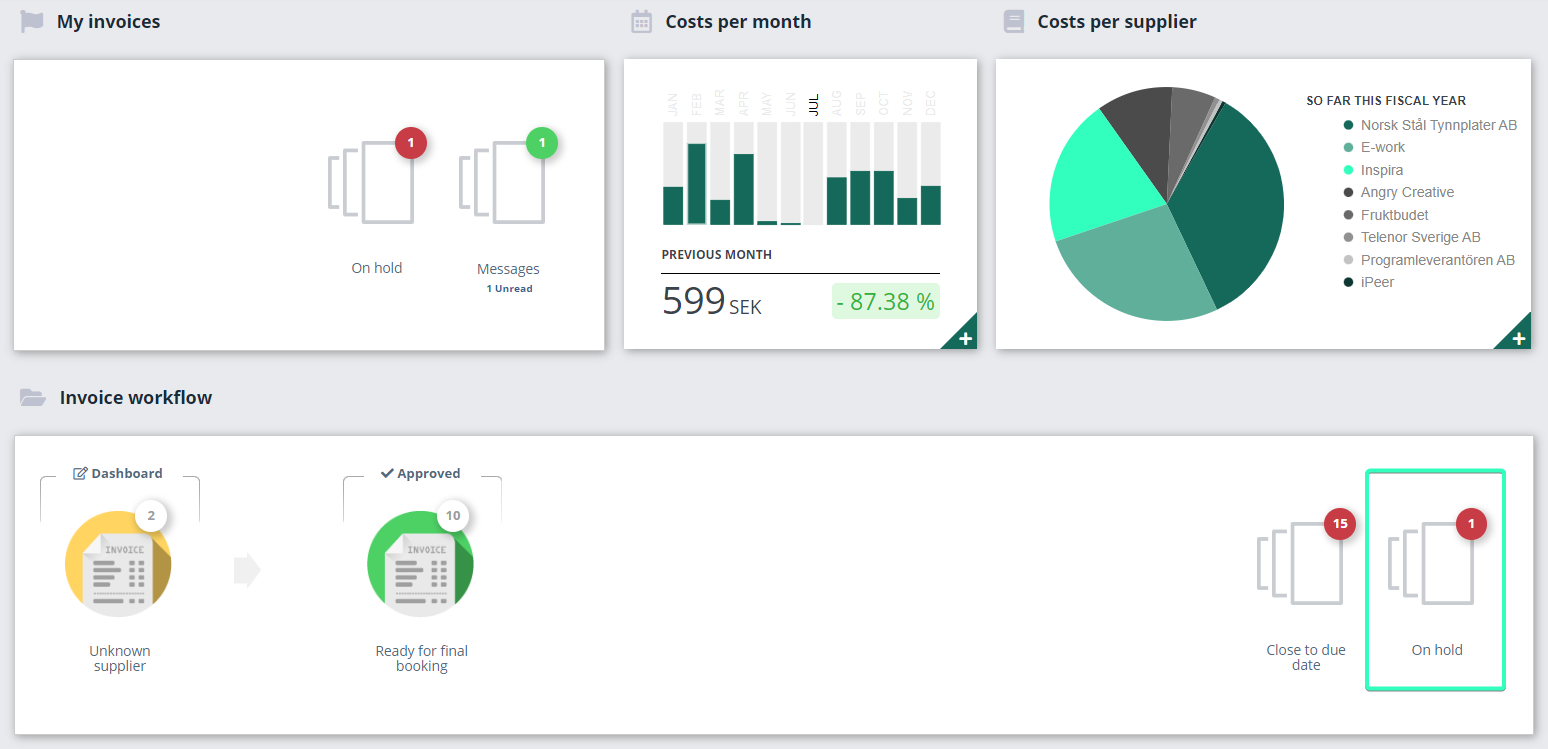
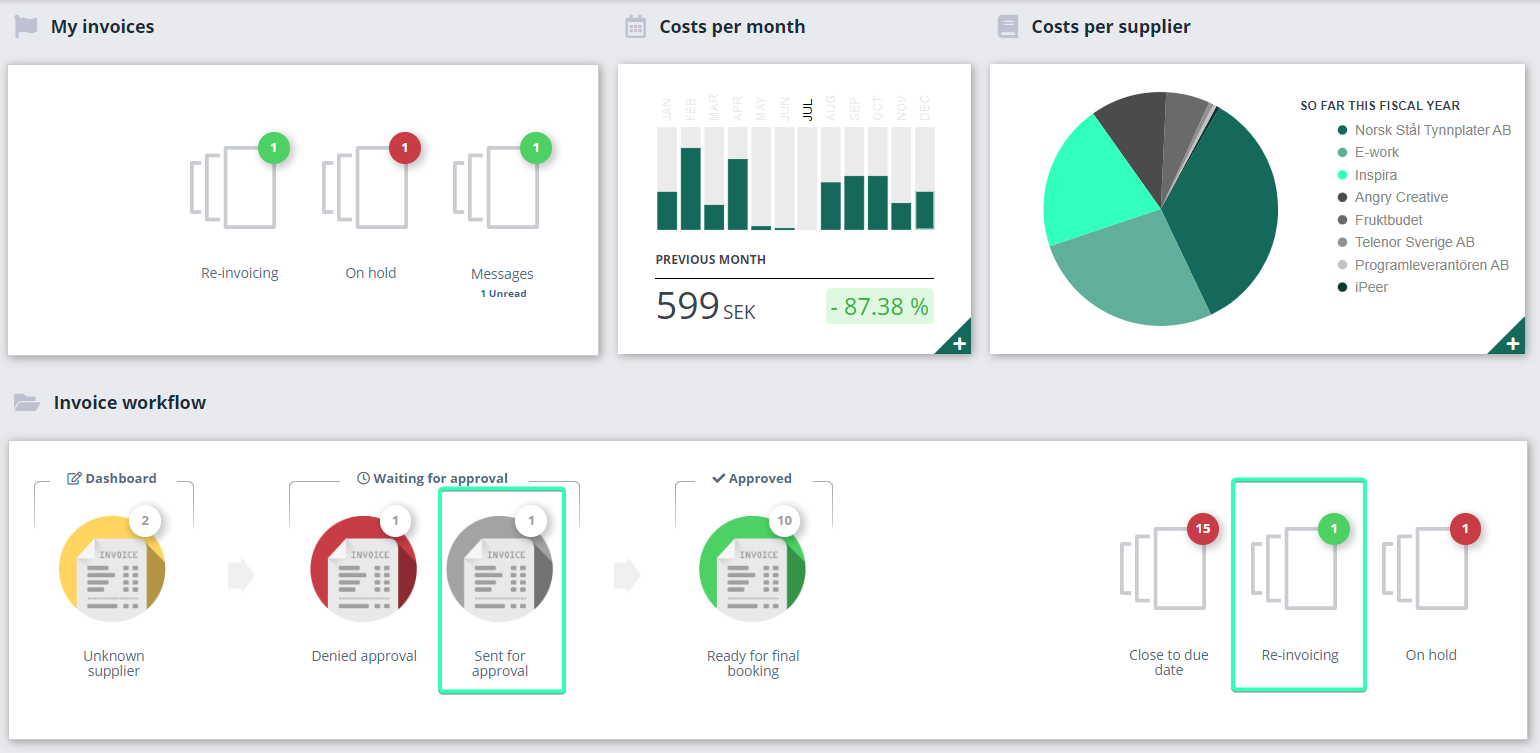
After the invoice is flagged as on hold, it is moved to the right-hand side in the overview. Note that there is now no invoice with the status Sent for approval.
Six optional flags
Each organization in Rillion also has six optional flags which you may rename to suit your business. Examples of name for optional flags are; Re-invoicing, Awaiting credit, Draw from salary, monthly closing and Info to Accounts. But of course, how you rename these flags is up to you. You set up optional flags under Administration → Organization → Workflow settings and flags.
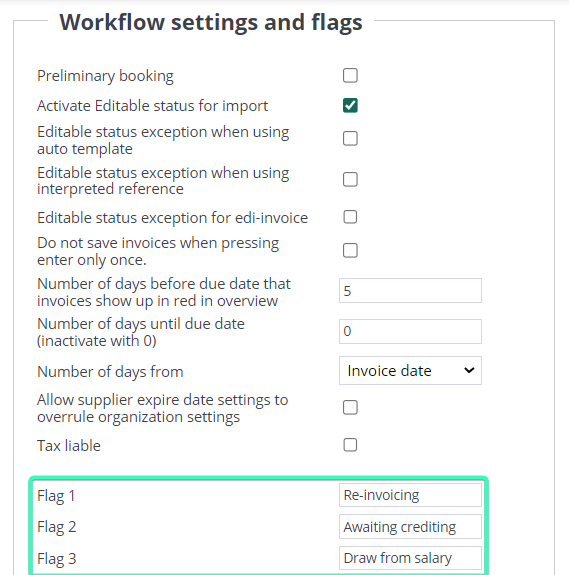
The optional flags do not move the invoice out of its flow but instead create a copy of the invoice in a separate folder, named for the flag, on the right-hand side of the overview.
Before the invoice is flagged, it is in the Sent for approval folder. In the image below, there is one invoice in this folder.
After the invoice is flagged for re-invoicing it is moved to the right-hand side in the overview. Note that there is still one invoice in the Sent for approval folder.
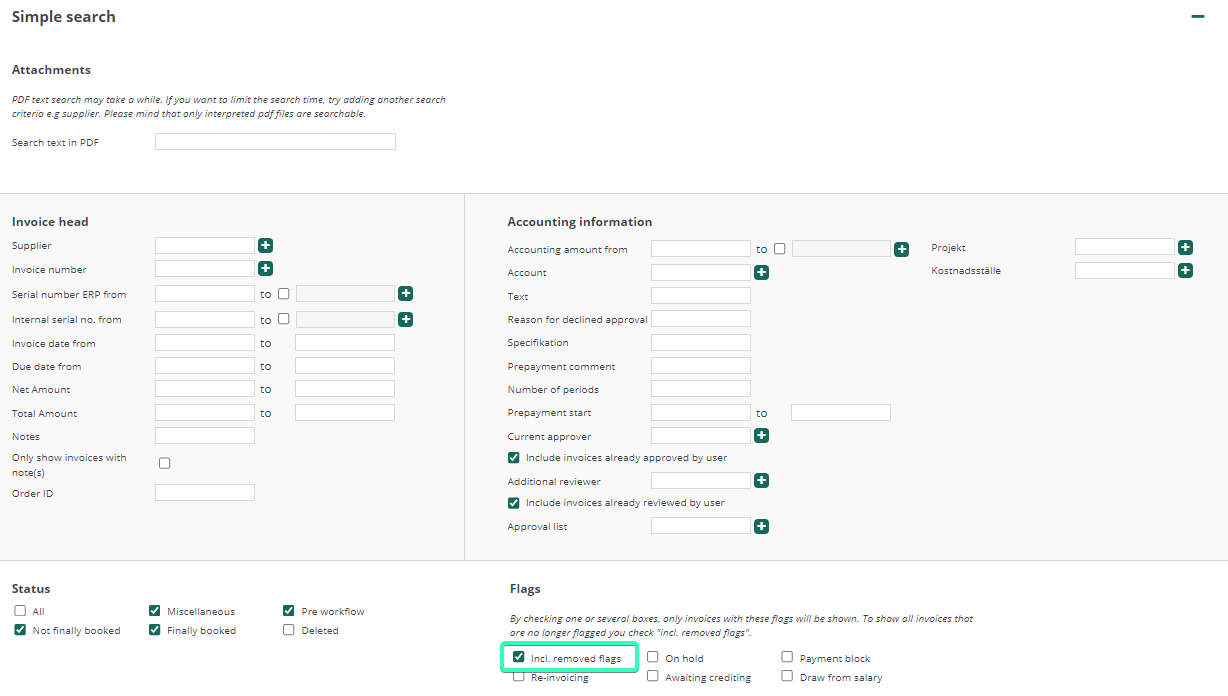
Tip: All flags are searchable under Invoices - Search, even removed flags.
Tip: You can batch-process the removal of flags from invoices when you click on your folder containing flagged invoices.