Change additional reviewer during additional review
If you want to enable people later in the approval flow to replace themselves, as the first approver can do, you can now change this in the invoice header. This means that you do not approve the invoice yourself, but delegate it to someone else. Other approval flow rules, such as additional reviews and accounting rules, apply as usual. Even invoice administrators can change this if the function is activated for that user group.
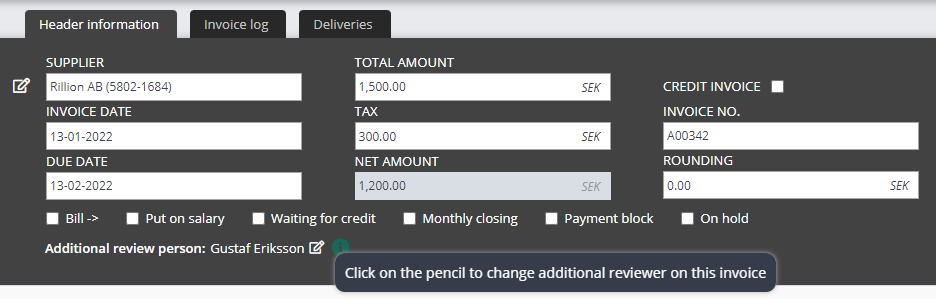
Under your "flags" in the invoice header, you can see who has the invoice for approval/additional review right now and can click on the pen to change.
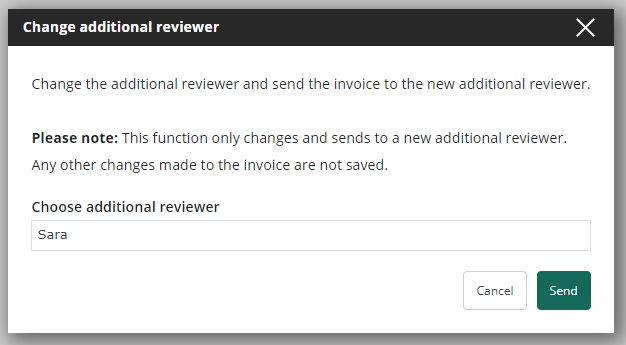
Chose who you want to sent it to and click ”Send”.
How you activate ”ändra efterkontrollant under efterkontroll”
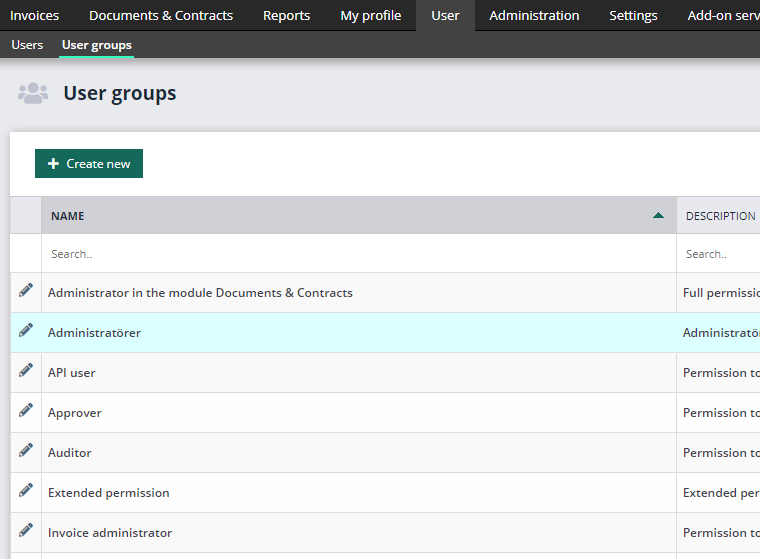
Go to ”User” – ”User groups” and click on the pen for the user group you would like to change.
Click on the plus symbol for ”Invoice”.

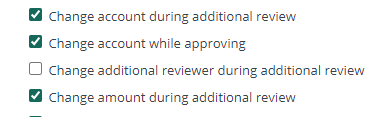
Go to ”Change additional reviewer during additional review” and check the box.
Remember to click ”Save” in the lower right corner.