Organization setting to copy to new posting lines
In Rillion One, you can automatically copy dimensions to new lines created during posting. This can be useful if an invoice needs to be divided into two posting lines because it has to go out to two different approvers but the same account should be used on both lines.
To make these settings, go to Administration → Organization. Scroll down to Posting dimensions → Copy to new posting lines.
For example: If the account should always be copied to the new lines, select the checkbox for Account as shown below and click on the Save button.
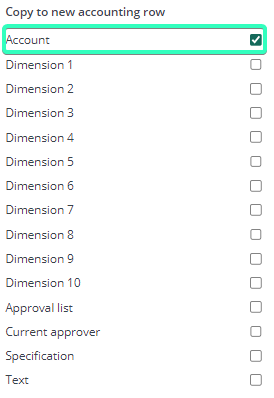
When the invoice is going to be posted to an account and a new line is applied, the account will automatically be copied to the new posting line created.

Similarly, other dimensions can also be set to be copied to new posting lines.