Set priority on supplier for suppliers with same bank giro
A function in Rillion One makes it possible to select which supplier an invoice is linked to when imported. The background to this is that several suppliers can have the same bank giro. When an interpreted invoice is imported, Rillion One Invoice uses the invoice’s bank giro to link it to the correct supplier. If multiple suppliers have the same bank giro, this can cause problems. The solution then is to set the supplier to which invoices should be linked to in the first instance in Rillion One.
This function also applies to postal giro, company registration number, supplier name, supplier ID in the ERP system, VAT registration number, IBAN and BBAN.
Set priority
To set the priority on a supplier, do the following:
- Click on Administration → Suppliers.
- Find the supplier you want to use as the default supplier where several have the same bank giro. Open the supplier record with Edit pen.
- Enter a 1 in the field under Matching priority when using interpretation.
- Click on Save.
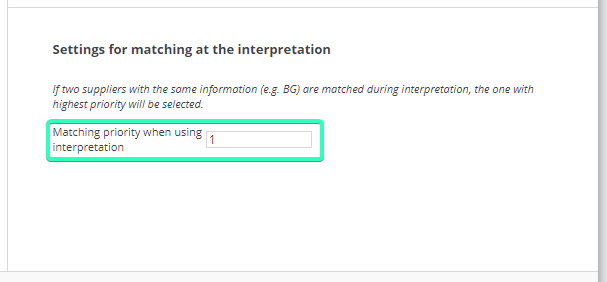
The next time invoices are imported that have the same bank giro as this supplier, they will be linked to the supplier with the highest priority setting.