Apply previous posting to an invoice
When an invoice has been approved, the system will remember its posting. If invoices from a supplier are often posted in the same way, with a simple click you can copy a previous posting and apply it to the current invoice. Rillion One displays the three most recent postings, and saves one Favourite, which is the posting usually applied to this supplier’s invoices.
Apply previous posting
In the invoice view, previous postings are shown under in the Previous posting tab. To apply the previous posting shown, click Apply, and the posting will be applied and shown among the posting lines. Note that the amount will be adjusted to the current amount imported from the invoice.
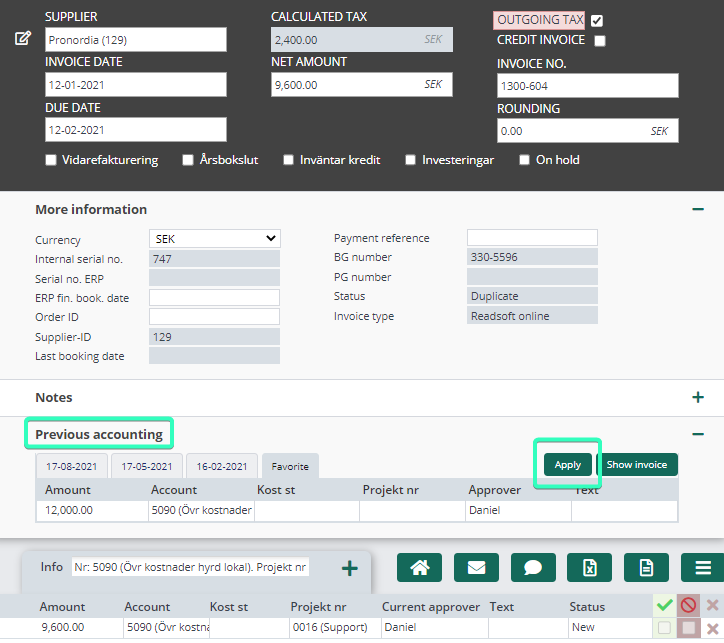
If you want to view the previous invoice first, you can click on Show invoice and that invoice will appear in a new tab in your browser.
