Using the space bar in the invoice view
The keyboard has several functions in Rillion One. It can help you to:
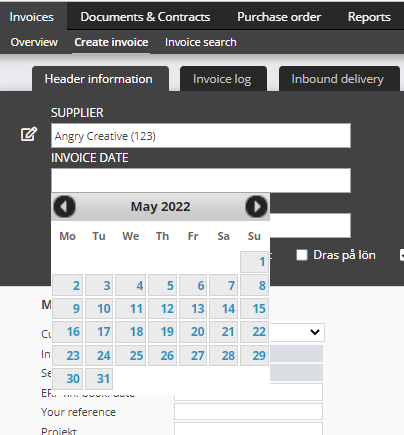
- Bring up a calendar when the cursor is in the Date field.
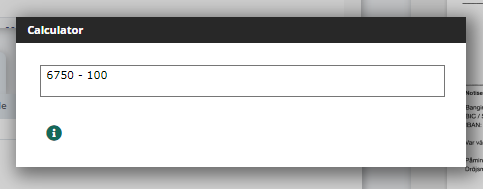
- Bring up a calculator when the cursor is in the Amount field.
- Bring up a register when the cursor is in a Register field.
When using it, it’s important to remember that the cursor needs to be at the far right in the field and that no text is selected in the field.
Date selector
In the invoice view, you can use the space bar on the keyboard to select dates. With the cursor in the Date field, press the space bar to display a calendar.
Calculator in the Amount field
With the cursor in the Amount field, press the space bar to display a calculator. Here you can use the plus and minus, multiplication and division keys on your keyboard (+, - , * , /). Make sure that the cursor is after the amount when you press the space bar. Otherwise, the amount will not be copied into the calculator.
Register
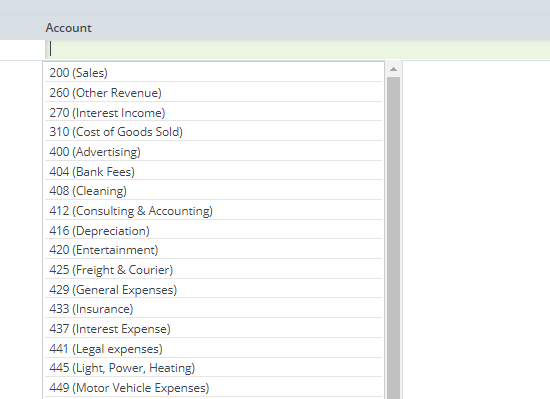
The space bar can be used to list the entire registry in those fields that only contain register entries.
For example:
- Supplier register
- Chart of accounts
- Project register
- Cost centre register
- Approver register