Looking for general information on searching, see: Search function in Rillion One
Invoices can arrive to Rillion One from several different sources; They can be captured by an invoice capture service, send as e-invoices, imported from previous systems or added manually.
Knowing how many invoices are sent via a specific channel can be useful to optimizing your invoice processes.
To find all invoices based on channel type:
- Open 'Invoice Search' from the 'Invoices' page
- Expand 'Advanced Search'
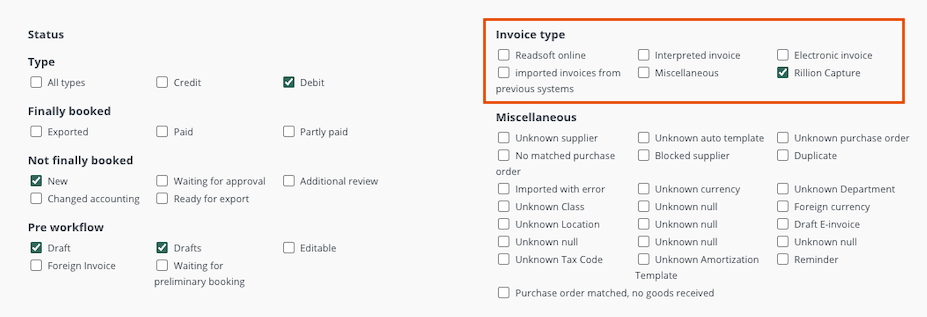
- Under 'Invoice type' select the channel(s) you want to filter on.
- Readsoft invoice: Invoices captured via Readsoft/Tungsten
- Interpreted invoices: Invoices captured via our advanced capture service
- Electronic invoice: Invoices send via your e-invoice provider
- Imported from previous system: Invoices imported from your previous AP or ERP system
- Miscellaneous: Invoices not registered through any of the other channels
- Rillion Capture: Invoices captured with Rillion's own service
- Click 'Search'